What it does on your watch
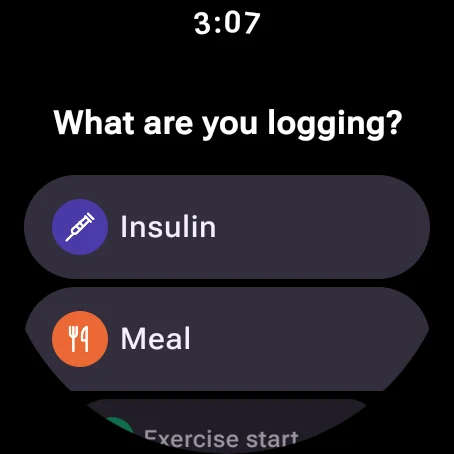
Log in two taps
Meal, insulin, medication, exercise start and end, going to bed and waking up, or a note. What you log most comes first, and anything in progress, like a workout or the night, sits at the top.
Dictate instead of typing
Say “toast with olive oil and a latte” and it's logged. No keyboard, and your phone stays in your pocket.
Forgot to log it?
Pick the time it happened, within the last 24 hours, and it goes in the right place in your diary, not at the current time.
Your latest recorded glucose
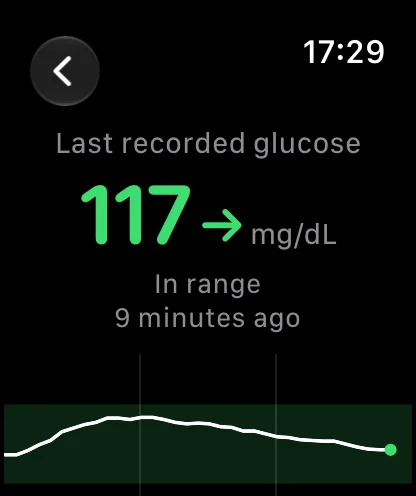
The latest value in your diary with its arrow, how long ago it was read and the curve for the last 3 hours over your range. It comes from your sensor (FreeStyle Libre or Dexcom), Apple Health or Health Connect, depending on what you've connected. It's for guidance only.
On your watch face
A complication with your latest recorded glucose and the time of the reading, and another one that opens “Log” straight away.
No signal? No problem
Whatever you log offline waits on the watch and uploads by itself once you're back online. And you see it straight away on the web and on your phone.
Supported watches
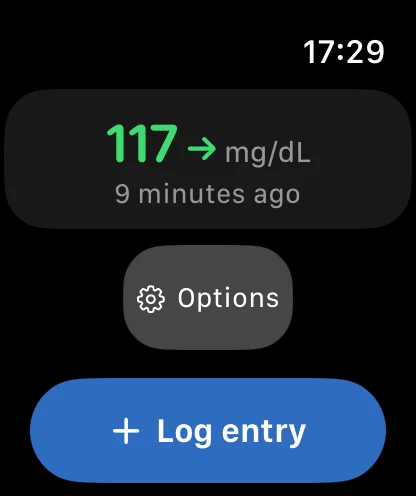
Apple Watch
With watchOS 10 or later. It installs with the GlucoBeat iPhone app or from the App Store on the watch itself.
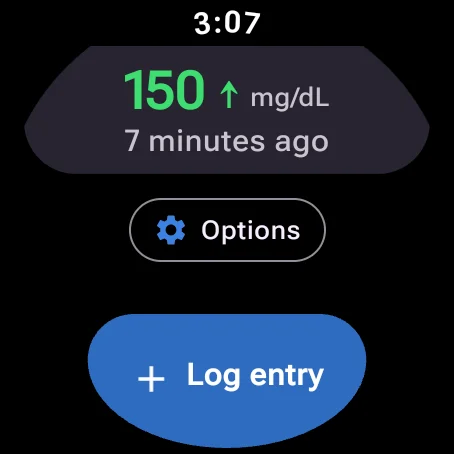
Galaxy Watch, Pixel Watch and Wear OS
Galaxy Watch 4 and later, Pixel Watch and other watches with Wear OS 3 or later. Install it from Google Play on the watch.
Other watches (Garmin, Fitbit, Huawei…) don't have a GlucoBeat app, but if they save your exercise and sleep to Apple Health or Health Connect, they reach your diary by themselves with the phone app.
Get started in a minute
- Install GlucoBeat on your watch: on Apple Watch, from the App Store; on Wear OS, from Google Play.
- Open it: the watch shows a QR code.
- Scan it with your phone's camera and confirm with your account. There's nothing to type on the watch.
Questions about the watch app
How much does the watch app cost?
It's free. It uses your GlucoBeat account, with whatever plan you already have.
Can I see my FreeStyle Libre or Dexcom glucose on my watch?
Yes, if your sensor is connected to GlucoBeat: the watch shows the latest glucose recorded in your diary, with the time of the reading, its arrow and the curve for the last 3 hours. It isn't a direct reading from the sensor: it arrives when it reaches your diary, and it's for guidance only; if in doubt, check with your meter.
Do I need the phone app?
No. You link the watch by scanning its QR code with your phone's camera, in any browser, and from then on it connects to GlucoBeat on its own. With the phone app, your exercise and sleep also come in by themselves from Apple Health or Health Connect.
Does the watch notify me of high or low values?
No. GlucoBeat is a diary for logging and understanding what happened: it doesn't notify you about glucose values, on the watch or on the phone. Those notifications, if it has them, come from your sensor's app.
Will it work on my watch?
On Apple Watch with watchOS 10 or later and on watches with Wear OS 3 or later, such as the Galaxy Watch 4 and later or the Pixel Watch. Other watches have no app, but if they have a browser, glucobeat.com opens there in a watch mode.
How do I unlink it?
From the watch itself (Options → Unlink) or in Settings → Connections → Watch, on the web or in the phone app. The watch can't log in your diary again until you link it again.